Give every presenter a clear path from file intake to the right room. AVSC Speaker Management is a built and tested presentation-management system for conferences, general sessions and breakout programs.
Family operated since 1965Speaker support from intake to showtimeServing events nationwide
STANDARD WORKFLOW
On-site intake. Automatic room delivery.
The core workflow is designed to move speaker files from the cloud or the speaker ready room server to the correct general-session and breakout-room laptops with minimal manual handling.
STANDARD · ON-SITE INTAKE
Upload a new deck. Update an existing one.
Speakers deliver their presentations in the on-site speaker ready room, where they can upload a new file or replace an existing presentation. No advance portal setup is required for this on-site intake option.
STANDARD · AUTOMATIC DISTRIBUTION
The right file, already in the right room.
Once accepted, files can be pushed through a shared folder structure (or to the custom presentation launcher) to the correct presentation laptop or laptops in the general session and breakout rooms, following the supplied speaker, room and time assignments.
The goal is simple: presentations ready before their sessions begin.
PLATFORM COMPATIBILITY
Connect the platform you already use.
The system can also interface with other platforms, such as Cadmium. AVSC can coordinate your presentation workflow around the platform your organization already uses.
HOW THE PROCESS STARTS
From your speaker schedule to the right room, on time.
The process starts with a spreadsheet from your team listing every speaker’s name, the room where they will present, and the time of their presentation. AVSC uses that schedule to set up the presenters and issues each speaker their own secure password. From there, the system takes over the distribution process, delivering presentations to the correct room at the correct scheduled time.
Send the speaker spreadsheet
Your team provides the complete speaker list, including each presenter’s name, assigned presentation room and presentation time. This spreadsheet establishes the schedule for the system.
Get secure presenter access
AVSC sets up each presenter and issues them their own secure password, connecting presenter access with the speaker assignments supplied by your team.
Submit or update a presentation
Speakers submit a new presentation or update an existing one. The standard workflow supports on-site intake in the speaker ready room; advance uploads are available through the optional pre-event portal.
Let the system deliver it
The system takes over, automatically delivering each presentation to the correct presentation laptop in the correct room at the correct time, according to the supplied schedule.
Accepted revisions follow the same room and time assignments, keeping updates connected to the speaker’s scheduled presentation.
ONE COORDINATED SHOW
Clarity for speakers. Coordination for the whole event.
For presenters
Each presenter receives their own secure password and a clear place to submit files, make changes and work with AVSC’s speaker support team.
For planners
Your speaker spreadsheet connects every presenter with their assigned room and presentation time, keeping the general session and breakout rooms coordinated around one schedule.
For room teams
Presentations delivered automatically to the correct room laptops at the correct scheduled time, reducing manual file handling and keeping content connected to the right session.
OPTIONAL UPGRADES · ADDITIONAL COST
Build the workflow around your program.
Add advance collection, a guided presenter experience, or both. These upgrades extend the standard on-site intake and automatic distribution workflow and are scoped for your event.
OPTIONAL · PRE-EVENT PORTAL
Collect presentations before arrival.
A secure presentation portal lets speakers upload files ahead of the event. Submitted presentations enter the same system for acceptance and automatic delivery according to the speaker, room and time assignments in your spreadsheet.
This option requires advance setup and is available at an additional cost.
OPTIONAL · SESSION LAUNCHER
Your session. Your branded splash page.
Our session launcher is a splash page listing that session’s speakers. We can brand it with your organization’s logo, sponsor logos, or both, keeping your event identity and sponsors visible between presentations.
The presenter clicks their name on the splash page and PowerPoint opens directly in slideshow mode.
When the slideshow finishes naturally, the presenter presses Escape, or PowerPoint is manually closed, the launcher is designed to restore the splash page automatically—ready for the next presenter.
The launcher keeps your event branding visible between presentations and gives speakers a straightforward way to begin. No macros are required inside the PowerPoint files.
The session launcher is an optional, separately quoted upgrade. AVSC will confirm pricing and configuration in your event proposal.
Start by sharing your speaker spreadsheet. AVSC will coordinate presenter access, the intake plan and any optional features around the room and time assignments supplied by your team.
PRESENTATION MANAGEMENT IN ACTION
A look at the presentation workflow.
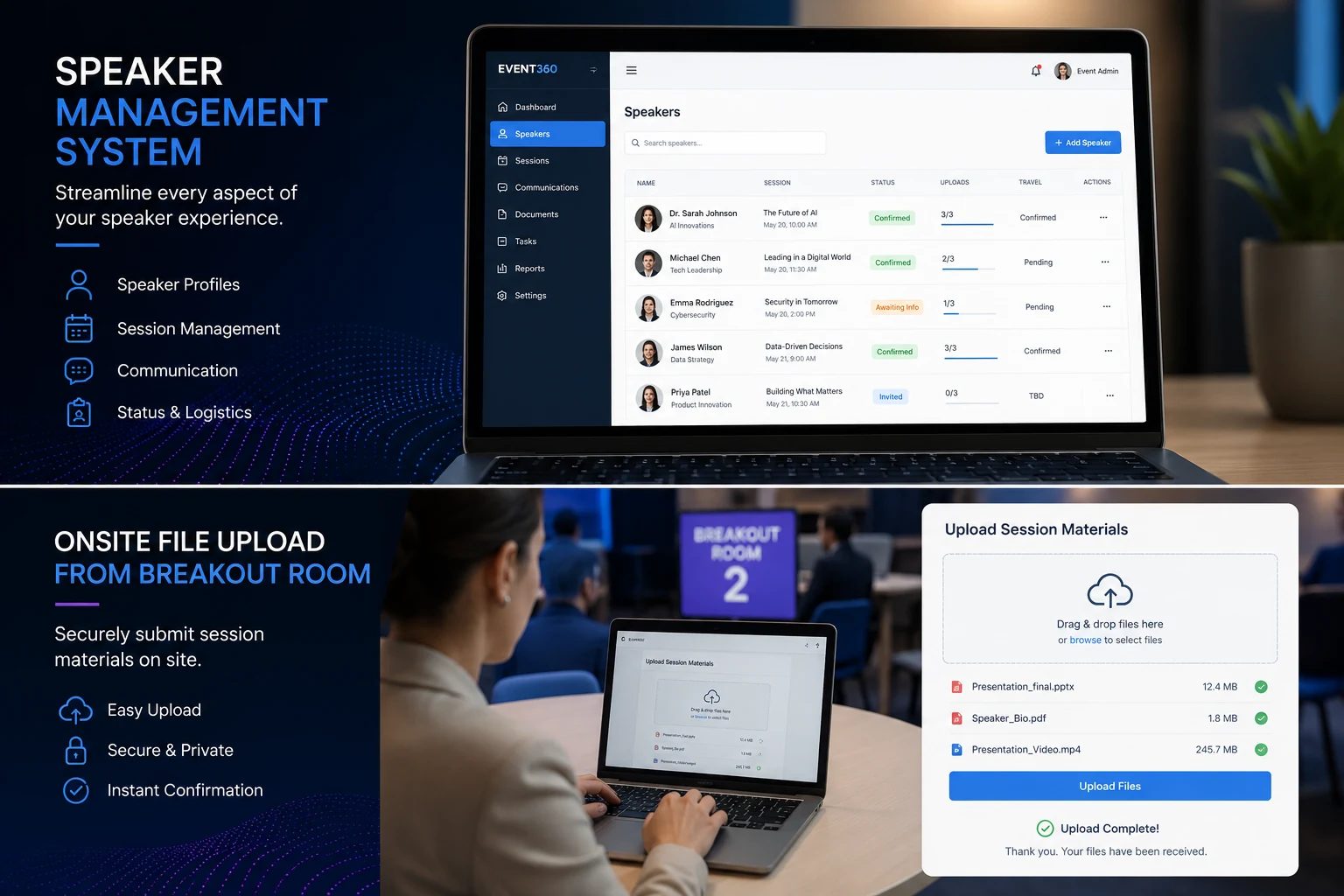
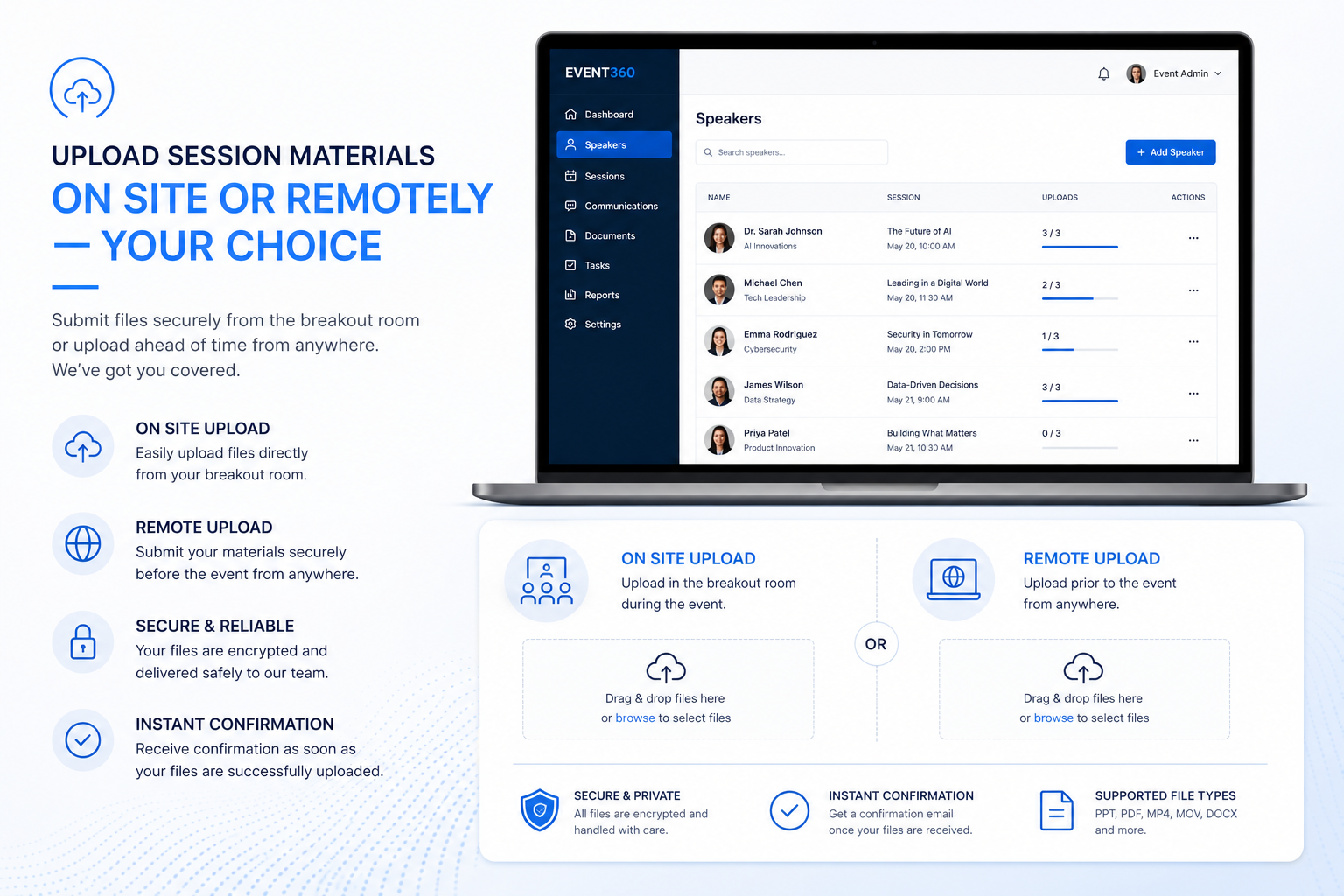
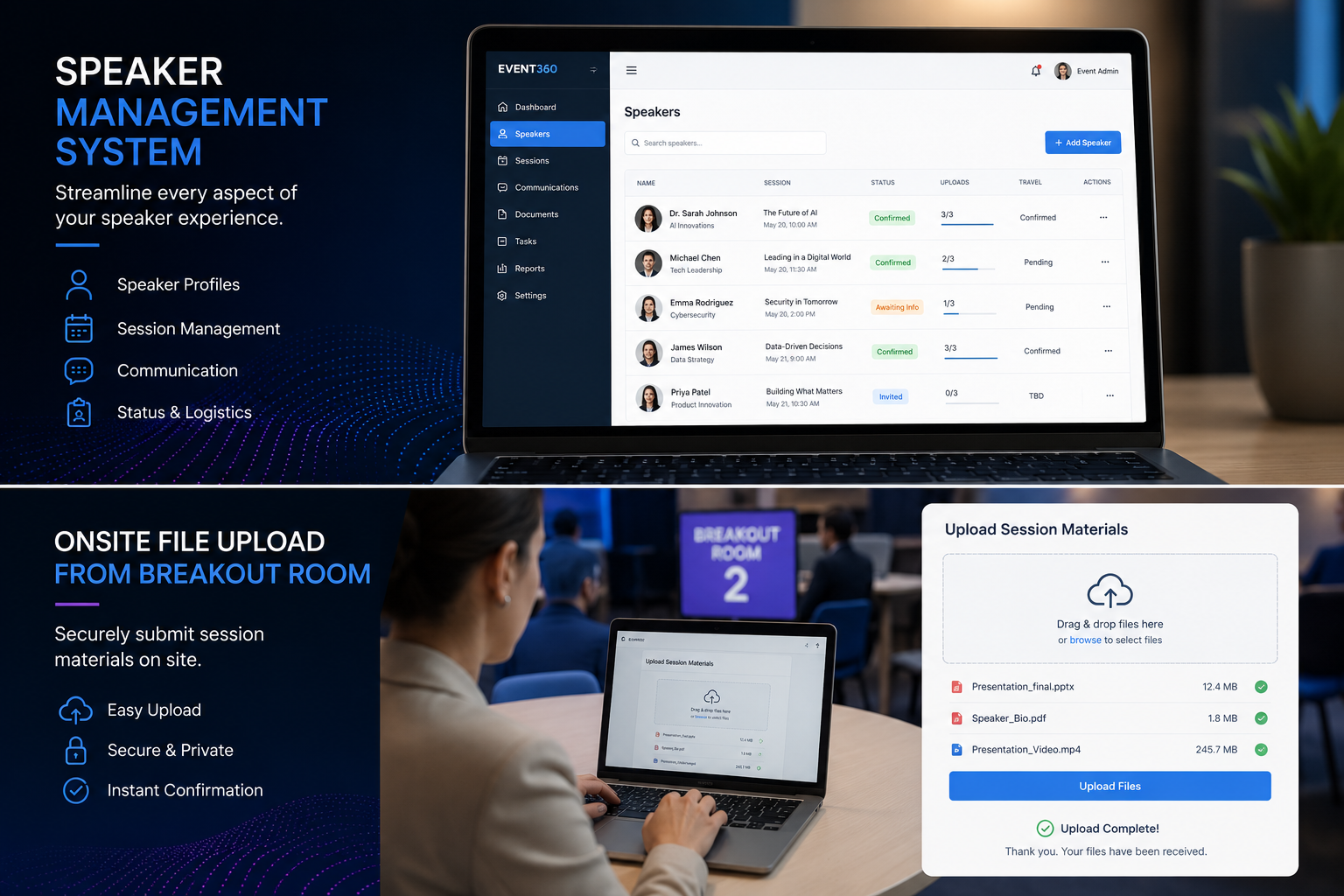
These presentation-management reference screens illustrate speaker access, file intake and organized session content. Select an image to view it at full size.
Presentation-management reference: upload options for your speaker workflow. Click to view the full-size image.Presentation-management reference: organized session content and on-site uploads. Click to view the full-size image.
BUILT & TESTED BY AVSC
Built. Tested. Ready for your event.
This system has been built and tested by AVSC to bring dependable presentation management to live events. Speaker intake, presentation updates and automatic room delivery work together around your speaker schedule.
Our team coordinates room assignments, presenter access and the on-site support plan before show day. Share your schedule, room count and event dates so we can configure the system for your program and quote any optional upgrades.
AVSC brings speaker intake, presentation updates and room delivery together around your conference schedule. Our team coordinates the workflow before show day and supports your presenters on site.
Schedule-driven coordination
Speaker, room and time assignments help keep presentations in the right place at the right time.
Clarity for presenters
A straightforward intake and update process helps speakers prepare their content and deliver their presentations.
Connected room delivery
Presentation files move from intake to the general-session and breakout-room laptops around the event schedule.
Help voices and presentations arrive clearly, on time, and in harmony with the rest of the show.
PLANNER QUESTIONS
Plan your speaker workflow.
What does AVSC need to get started?
Your speaker spreadsheet, including presenter names, assigned rooms and presentation times, plus your event dates and venue. We use that information to configure the workflow and support plan.
Can speakers update their presentations on site?
Yes. Speakers can submit a new deck or replace an existing presentation through the speaker ready room. Accepted updates follow the presenter’s assigned room and session.
Are advance uploads and the session launcher included?
On-site intake and automatic distribution form the standard workflow. The pre-event portal and branded session launcher are optional upgrades, quoted for your event.
Can the system support general sessions and breakouts?
Yes. AVSC coordinates presentation delivery with the room and time assignments in your schedule, connecting the general session and breakout rooms as one program.